🍎
Apple Native
Default · On-deviceLightweight, on-device dictation via Apple's built-in speech recognizer. Zero setup, instant start.
Push-to-talk dictation for macOS. Hold a hotkey, speak naturally, and cleaned-up text lands at your cursor, on-device by default.
How it works
Pick any combination you like. A floating HUD appears the moment you press, so you always know FriSpeak is listening.
Talk at your own pace. Filler words, false starts, and rambling are fine. Your chosen speech engine transcribes offline while you talk.
On release, FriSpeak cleans up the text, formats it for the surrounding context, and types it directly into the focused app at your cursor.
FriSpeak reads the focused text field through macOS Accessibility, then formats the result for the caret position. A new paragraph here. A period there. Sentence case at the start of a sentence. Never a runaway capital letter.
No server calls, no network latency. Dictate, clean up, and paste a long email on a transatlantic flight without Wi-Fi.
Audio and transcripts never leave your Mac. Even local models run inside your own sandbox.
Optional Apple Intelligence, local MLX, or remote cleanup pass removes filler, fixes punctuation, and respects tone.
Insertion is direct. Your clipboard is never trampled, so you can keep copying and pasting while you dictate.
Every take is kept locally with a one-click re-insert button, so nothing is ever lost to a misclick.
A small floating indicator that fades when you start typing. Never in the way. Never a chrome hog.
Built for Apple Silicon. Tiny footprint, instant launch, no Electron in sight.
Pipelines
Two independent stages. Pick any combination, switch anytime. The local path is fast, free, and private.
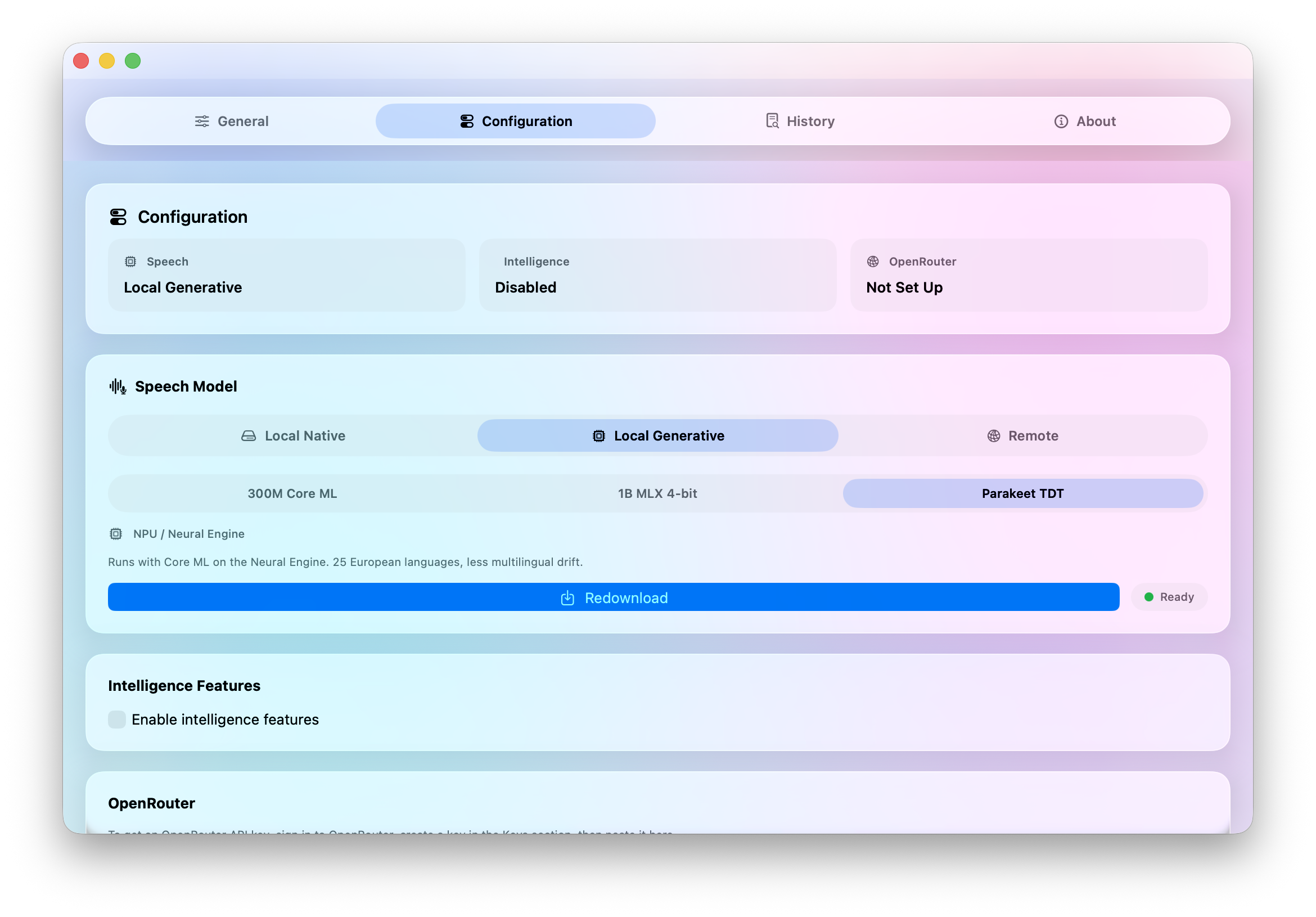
What transcribes your voice into text.
Lightweight, on-device dictation via Apple's built-in speech recognizer. Zero setup, instant start.
Omnilingual ASR 300M or Parakeet TDT on the Neural Engine, or Omnilingual 1B MLX 4-bit on the Metal GPU. Higher accuracy, more languages.
OpenRouter passthrough when you want a stronger cloud model with audio support. Your key, your call.
Optional cleanup that adds punctuation and strips filler.
Native on-device cleanup. Adds punctuation, strips filler, fixes case, and respects tone.
Bonsai 8B MLX 1-bit runs locally through a vendored Prism fork. Powerful cleanup with no network round-trip.
OpenRouter-backed cleanup when you want a different model. Configurable per-prompt instructions.
Privacy by architecture
The default speech and intelligence paths are both on-device. Cloud pipelines are explicitly opt-in, run over your own OpenRouter key, and can be turned off entirely. Either way, the strongest guarantee is that the local path never makes a network call.
Platform
Xcode 16+ to build from source. Apple Silicon for the best experience.
Free, open source under Apache 2.0, and entirely on-device by default. Grab the DMG, drop it in Applications, and hold a key.